

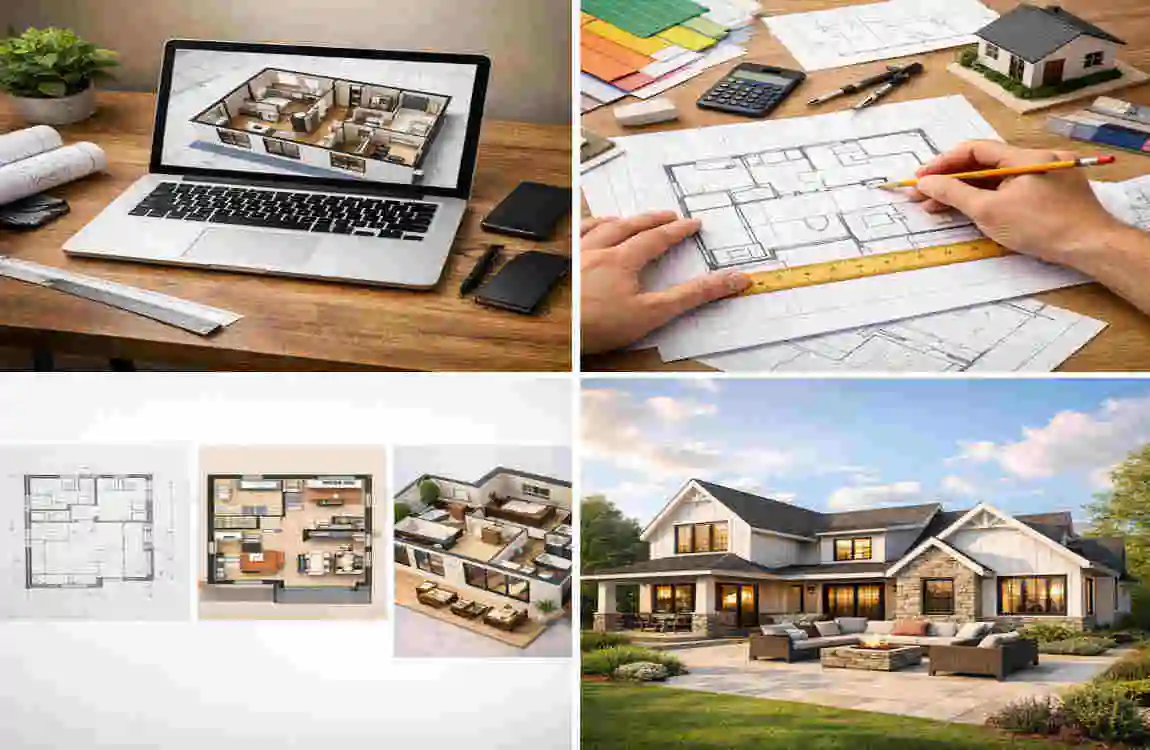
Imagine sitting on your couch on a rainy Sunday afternoon, a hot cup of coffee in hand, looking at the wall where your TV currently sits. Now, imagine that wall isn’t there. Instead, the space opens up into a sun-drenched sunroom that overlooks a garden you haven’t planted yet. You can see the kitchen island where your friends will gather, and the reading nook where you’ll spend your evenings. This isn’t just a daydream; it is the beginning of a journey to create a space that is uniquely yours.
For decades, the ability to visualize and draft a home layout was a skill reserved strictly for architects and professional drafters with years of schooling. If you wanted to move a wall or add a bathroom, you had to pay someone to draw it for you. But times have changed. Today, technology has democratized design. Whether you are planning a massive renovation, building from scratch, or just dreaming about the future, you have the power to design your own house floor plans.
Why Design Your Own House Floor Plans?
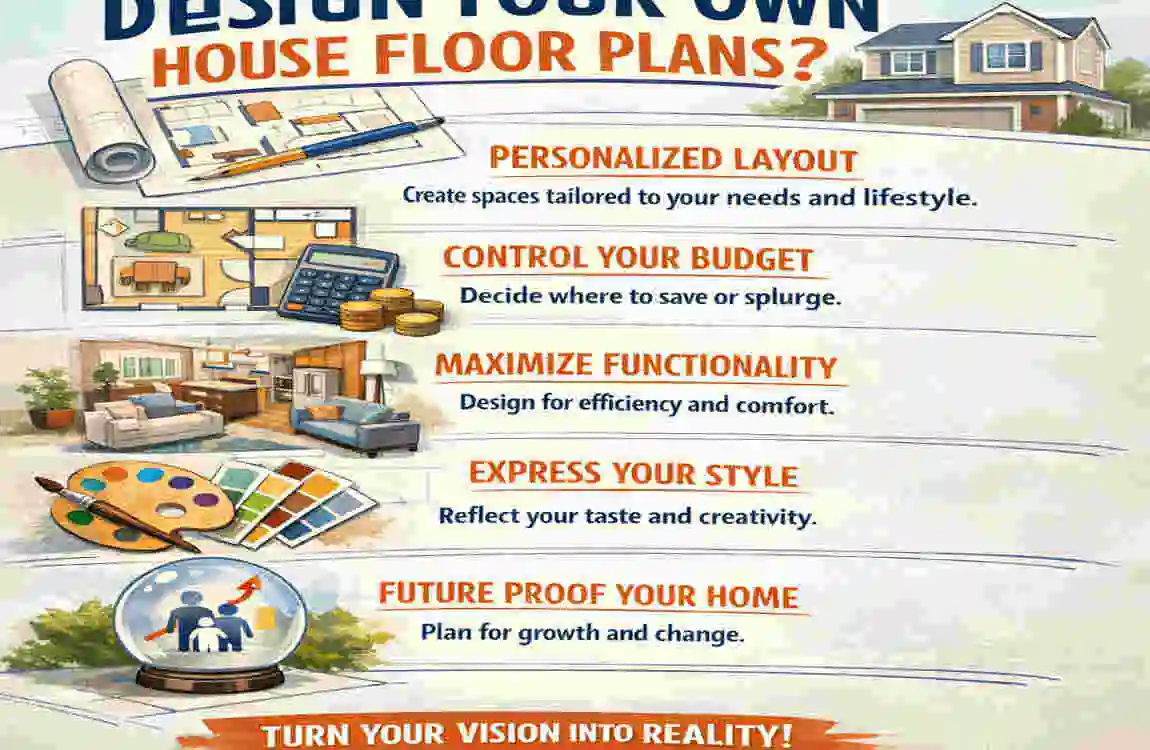
Why should you take on the task of designing a floor plan yourself? It is a fair question. After all, architects train for years to understand structural integrity and spatial dynamics. However, designing your own preliminary plans doesn’t mean you are bypassing professionals entirely; it means you are entering the conversation prepared, informed, and in control.
Total Control Over Your Space
The primary motivation for most homeowners is personalization. An architect can listen to your needs, but they can never fully inhabit your mind. They don’t know that you like to pace while on phone calls and need a circular flow on the ground floor. They don’t know that you prefer the morning sun in the kitchen but hate it in the bedroom. When you design your own house floor plans, you can test these specific scenarios. You have the freedom to move walls, shift doors, and resize rooms until the layout clicks with your specific lifestyle.
Financial Flexibility
Let’s talk about the budget. Professional design fees can take up a significant chunk of your construction budget, typically ranging from 5% to 15% of the total project cost. By handling the conceptual phase yourself, you can save 20% to 50% on preliminary architect fees. Instead of paying a pro to draw five different versions of a living room, you can hand them a polished concept that needs a technical review. That money saved can go directly into better finishes, like those quartz countertops or hardwood floors you’ve been eyeing.
Adapting to Modern Trends
The housing landscape has shifted dramatically, especially post-2025. The rise of remote work isn’t a temporary fad; it is a permanent fixture. Standard “cookie-cutter” homes often lack dedicated, quiet office spaces, forcing people to work from dining tables. When you design your own space, you can prioritize a soundproofed home office, a Zoom-ready background, or a multi-functional gym area. You can adapt the layout to reflect how we actually live, rather than how houses were built fifty years ago.
The Benefits at a Glance
- Cost Efficiency: Drastically reduce the billable hours for initial design consultations.
- Rapid Iteration: Want to see if a King-sized bed fits? You can change the layout in seconds rather than waiting days for a redraft.
- Site Alignment: You can tailor the views and window placement exactly to your specific plot of land.
Essential Free Tools for Floor Plans
Gone are the days of graph paper, rulers, and eraser shavings. A suite of incredible, no-cost software options has lowered the barrier to entry for home design. These free floor plan tools let you drag and drop and visualize in ways once impossible for the average homeowner.
Here is an overview of the best tools available right now to help you design your own house floor plans.
Top Recommendations for DIY Designers
ToolKey FeaturesBest ForLimitations
Floorplanner: Intuitive drag-and-drop, instant 2D/3D switching, massive furniture library. Beginners. It strikes the perfect balance between ease of use and depth. The free version exports low-resolution images with watermarks.
RoomSketcher: Excellent mobile app integration, high-quality photorealistic snapshots. Quick Sketches. Great for visualizing on the go or showing ideas to partners. The free version has a limited furniture catalog and fewer 3D features.
Planner 5D Immersive VR Mode, extensive catalog of 4000+ items, very visual. Immersive Ideas. Suppose you want to “walk” through your design virtually. Many of the best textures and items are locked behind a paywall/ads.
Sweet Home 3D is open-source, completely free, and downloadable (offline use). Detailed Layouts. Best for those who want technical control and printable plans. The interface looks dated and has a steeper learning curve than web apps.
HomeByMe Community sharing features, collaborative design options. Family Input. Great for getting feedback from friends or family members. Requires a consistent internet connection; can be heavy on browser memory.
Getting Started with Software
If you are feeling overwhelmed by the choices, I recommend starting with Floorplanner. It runs entirely in your web browser, so you don’t have to download large files. The workflow is incredibly logical: you draw a box to represent a room, drag the corners to resize it to your dimensions, and then drag “doors” and “windows” onto the walls. The software automatically snaps them into place and cuts the holes in the wall for you.
Once you have the walls up, the fun begins. You can switch to a “3D Camera” view. This is the moment most DIY designers get hooked. Seeing your 2D lines instantly transform into a standing structure allows you to spot issues immediately. “Oh, that window is too close to the corner,” or “That hallway feels too tight.” These tools make the process of designing your own house floor plans forgiving and educational.
Step-by-Step Guide to Designing Floor Plans
Designing a home is a process of refinement. You start with big, messy ideas and slowly whittle them down into precise, measurable lines. To ensure your custom house designs are buildable and comfortable, follow this six-step roadmap.
Assess Needs & Plot Constraints
Before you draw a single line, you need to understand the “Program”—architect-speak for your list of requirements. Sit down with your family and make two lists: “Must-Haves” and “Nice-to-Haves.”
- Must-Haves: 3 bedrooms, 2.5 baths, a ground-floor office.
- Nice-to-Haves: A walk-in pantry, a double-height foyer, a skylight.
Simultaneously, you must look at your land. If you already own a plot, find the “setbacks.” These are legal lines you cannot build past. Measure the orientation of the sun. A beautiful living room is less enjoyable if it faces North and never gets direct sunlight (in the Northern Hemisphere), or if it faces West and overheats in the summer. Understanding your physical limits is the first step to a successful design.
Sketch Basics: The Bubble Diagram
Do not jump straight into the software. Grab a napkin or a piece of paper. You are going to draw a “Bubble Diagram.” This is exactly what it sounds like. Draw a circle and label it “Kitchen.” Draw another circle labeled “Dining.” Now, draw lines connecting them based on flow. You want a strong connection between the Garage and the Kitchen (for groceries). You want a connection between the Kitchen and Dining. You typically don’t want a direct line of sight from the Front Door to the Bathroom. This abstract exercise helps you figure out the relationships between rooms without getting bogged down by walls and square footage.
Choose Your Layout Type
Once your bubbles are arranged, decide on the architectural style.
- Open Concept: This removes walls between the kitchen, dining, and living areas. It makes small homes feel huge and is great for social families. However, it offers less acoustic privacy.
- Closed (Traditional) Layout: Distinct rooms with doors. This is making a comeback as people desire more privacy for remote work.
- Single vs. Multi-Story: A ranch style (single story) is easier for aging in place, but takes up more yard space. A two-story home is more cost-effective to build (with a smaller foundation and roof), but requires stairs.
Add Dimensions & Check Codes
Now, move to your software. Transfer your bubble diagram to the walls. This is where scale becomes critical. Beginners often draw rooms that are too small or oddly shaped. Use these standard benchmarks:
- Main Bedroom: Minimum 12×12 feet, ideally 14×16 feet.
- Secondary Bedrooms: Minimum 10×10 feet.
- Hallways: Minimum 36 inches wide (42 inches is more luxurious).
- Doors: Standard interior doors are 30 or 32 inches wide.
Keep an eye on building codes. While you aren’t an architect, knowing basic rules helps. For example, every bedroom usually requires an “egress” window (large enough to escape through in a fire).
Incorporate Furniture & Traffic Flow
A room that looks big and empty can feel tiny once a sofa is in it. This is why you must place virtual furniture in your plan. Drag a King-sized bed into the Main Bedroom. Is there enough room to walk around it? You generally need at least 30 inches of walking space around furniture. Check the “Traffic Patterns.” Draw imaginary lines showing how you walk from the bedroom to the kitchen. Do you have to weave through a maze of sofas? If so, move the door or the wall. Good flow should feel like water—taking the path of least resistance.
Visualize in 3D & Iterate
Finally, switch your software to 3D Mode. “Walk” through the house. Check the sightlines. When you stand at the kitchen sink, what do you see? If you see the toilet door, you need to change the layout! Look at the lighting. If your layout is deep, the center of the house might be dark. Consider adding a light well or thinning the layout. Iterate, change, and refine. This is the beauty of digital tools: correcting a mistake here costs zero dollars.
Key Tips for Effective House Designs
Even with the best software, it is possible to design a house that doesn’t function well. To ensure your DIY floor plans result in a home that is a joy to live in, keep these pro tips in mind.
Prioritize Natural Light
Light affects our mood, energy bills, and perception of space.
- South-Facing Windows: In the northern hemisphere, these provide consistent, warm light throughout the day. This is the prime spot for the Living Room and Kitchen.
- North-Facing Windows: These provide soft, consistent, shadow-free light, perfect for art studios or home offices where you want to avoid screen glare.
- East-Facing: Great for bedrooms (morning sun to wake you up) and breakfast nooks.
Zone Functionally
Think of your house in three zones:
- Public Zone: Living, Dining, Entry.
- Private Zone: Bedrooms, Bathrooms.
- Service Zone: Kitchen, Laundry, Garage, Utility. A good floor plan buffers the Private Zone from the Public Zone. You shouldn’t have to walk through the dirty laundry area to get to the guest bathroom, and you shouldn’t hear the TV blasting while you are trying to sleep. Use closets or hallways as sound buffers between these zones.
Future-Proof Your Design
You are designing for today, but what about ten years from now?
- Accessibility: Consider wider doorways (36 inches) on the ground floor to accommodate a wheelchair or walker if needed later.
- Flexibility: Can the playroom turn into a study when the kids grow up? Can the ground-floor office be used as a bedroom if an elderly parent moves in?
- Technology: plan a central hub for your router and smart home devices. WiFi signals struggle to penetrate thick walls, so a central location is key.
Budget Hacks for Design
Complexity costs money.
- Keep it Square: A house with 20 corners is much more expensive to frame and roof than a simple rectangle. Stick to simple shapes to save money.
- Stack Plumbing: If you have a two-story house, try to place the upstairs bathroom directly above the downstairs kitchen or bathroom. This reduces the length of pipe needed and simplifies the plumbing runs.
Custom Floor plan Ideas for Dream Homes.
Sometimes, you need a spark of inspiration to get started. Here are four distinct custom house design concepts tailored to different lifestyles.
The Modern Family Haven 2500 sq ft
This layout focuses on “sightlines” and “mudrooms.”
- The Concept: A two-story home designed for a busy family with school-aged children.
- The Layout: The entry from the garage leads directly into a massive “drop zone” or mudroom with lockers for backpacks and sports gear. This keeps the mess out of the main house. The kitchen features a giant island that overlooks the Great Room, allowing parents to cook while watching kids do homework or watch TV.
- Why it works: It acknowledges that families are messy and social. It prioritizes connection over formality.
The Urban Minimalist 1200 sq ft
Perfect for narrow city lots where every inch counts.
- The Concept: Vertical living with a focus on light and glass.
- The Layout: An open-concept ground floor combining kitchen and living. The staircase is “floating” (open risers) to let light through, making the room feel wider. The second floor features two bedrooms with efficient built-in storage rather than walk-in closets to save space. A flat roof allows for a rooftop garden deck.
- Why it works: It feels spacious despite the small footprint by using verticality and light as design elements.
The Eco-Friendly Passive House
Designed to work with nature to reduce energy bills.
- The Concept: A long, rectangular house oriented strictly East-to-West.
- The Layout: All major living windows face south to capture heat in winter. The North side of the house contains “buffer” rooms, such as closets, bathrooms, and the garage, which don’t need views or much heat. The walls are extra thick for insulation.
- Why it works: It uses the sun as a heater, drastically lowering utility costs while providing a bright, airy interior.
The Multi-Generational Suite
As housing costs rise, more families are living together.
- The Concept: A home that offers privacy for two distinct adult generations.
- The Layout: The main house is a standard 3-bedroom layout. However, attached to the side (perhaps connected by the laundry room) is a “Junior ADU” (Accessory Dwelling Unit). This suite has its own small kitchenette, a bedroom, a full accessible bathroom, and—crucially—its own exterior entrance.
- Why it works: It allows grandparents to live close by for childcare or support while maintaining independence and privacy for everyone.
Common Mistakes to Avoid
When you design your own house floor plans, enthusiasm can sometimes overshadow practicality. Here are the most common traps beginners fall into, and how to avoid them.
Poor Circulation (The Maze Effect)
- The Mistake: Creating a layout where you have to walk through one room to get to another (e.g., walking through the dining room to get to a bedroom).
- The Fix: Create a central spine or hallway. Circulation should be clear and intuitive. If a guest has to ask, “How do I get to the kitchen?”, the flow is wrong.
Ignoring Local Codes and Setbacks
- The Mistake: Designing a house that fills the entire lot, only to find out the local government requires a 10-foot gap from the neighbor’s fence.
- The Fix: Before you fall in love with a 40-foot-wide house, check your plot plan. Rules regarding “setbacks,” “easements,” and “lot coverage ratios” are non-negotiable.
Underestimating Utilities
- The Mistake: Forgetting that water heaters, furnaces, and electrical panels need space.
- The Fix: dedicate a small room or a large closet specifically for “Mechanicals.” If you don’t plan for it, you’ll end up losing a coat closet later to fit the HVAC unit.
Quick Fixes for Common Errors
IssueQuick Fix
Dark Hallways: Add a “solar tube” or skylight to bring light into the center.
No Wall Space. Don’t put windows on every wall; you need places for beds and TVs.
Bathroom Noises: Avoid sharing a wall between a toilet and a living room TV.
Lack of Storage: Aim for storage to take up 10% of your total square footage.
Advanced Custom Ideas & Trends

As we look further into 2026 and beyond, home design is becoming smarter and more integrated with nature.
Smart Home Integration is no longer an afterthought. When designing, plan for a “server closet.” Homes now require robust wiring (Cat6 or Cat7 Ethernet cables) running to every room for high-speed internet and security cameras. You are designing the house’s nervous system.
Biophilic Design is another massive trend. This involves blurring the lines between inside and outside. Consider designing “pocket doors” that slide completely into the wall, opening your living room entirely to the patio. Think about indoor atrium gardens or “living walls” in your floor plan sketches.
AI Generators are also emerging as a hybrid tool. You can now sketch a rough idea on a napkin, upload it to an AI tool, and have it generate a rendered floor plan. While these aren’t perfect, they are fantastic for overcoming “writer’s block” and generating variations you hadn’t thought of.
FAQs
How much does it cost to design your own house floor plans? If you use the free tools mentioned (like Floorplanner or Sweet Home 3D), the design phase costs you $0. However, once your design is final, you will likely need to pay a professional draftsperson or an architect to convert it into “Construction Documents” for permits. This “review and refine” service is significantly cheaper than full design services, often costing between $1,000 and $5,000, depending on complexity.
What are the best free apps for beginners? For absolute beginners, Floorplanner is the best web-based option because of its ease of use. If you want to design on an iPad or tablet, RoomSketcher or Magicplan are excellent choices.
Can I build a house with plans I designed myself? Generally, no. You cannot hand a sketch to a builder and start digging. Most local governments require blueprints stamped by a licensed architect or structural engineer to issue a building permit. Your DIY plans serve as the distinct concept, but a pro needs to ensure the roof won’t collapse and the foundation is safe.
How are my room sizes big? The best way is to measure the rooms you currently live in. If your current 10×10 bedroom feels small, you know to design your new one at 12×12. Using “standard” sizes (Living Room: 16×20, Kitchen: 12×16) is also a safe bet for resale value.
Is it hard to learn floor plan software? Most modern free tools are designed for non-professionals. They utilize “gamification” mechanics—if you have ever played a game like The Sims, you already possess 90% of the skills needed to use these tools. Most people can produce a decent layout within 2 hours of starting.
